Wednesday, September 21, 2016

Telling our School's Story


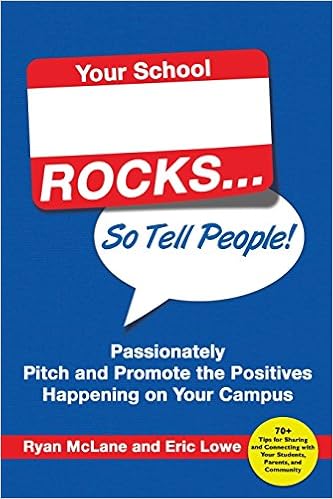
This book was on my summer reading list.

It was one of the easiest reads of the summer...fast, entertaining....kinda like those trashy tabloid magazines, but I came out feeling a whole lot smarter and confident.

Like this:

(In real life, this sign is about 20 feet overhead and huge)

Basically, the message of the book is this;  if you don't tell the story of your school, other people will, and they more than likely will not get it right. So, give people something to talk about. Something fabulous that shows your school in a positive light.

When I took on the role of acting vice-principal in the school, I inherited the school's Facebook page. The page was still in its infancy when it was bequeathed to me, and not being much a "Facebooker", I really didn't know how to unleash its potential.

I had heard rumblings from staff that the community sometimes seemed disengaged and disconnected from the school, and so I knew that something needed to change. I decided to jump in with both feet this year, and use social media to spread our story.

We have a brand-new green screen wall at our school so I began by using it with staff, to create fun back-to-school pictures and a video.


Then some of the classes decided to introduce themselves to parents and made their own videos.

Now others want to begin producing post-worthy products.

The result?

Well, we have about a 300% increase in the number of people who visit our page.

Kids, parents, people on the street (and educators from other schools!!) are now talking about our school. And they are saying great things.

Do you need to be a tech whiz to do this?  Nope.  I have now mastered iMovie basics (thanks Google, for all the help when I've gotten stuck!)  In about 10 minutes (maybe even less!) I can produce a movie that kids can't wait to have their parents look at online.

If you are looking for a "getting started" guide to social media, the Ontario Principal's Council has a streamed online course archive that is available here: OPC: Using Social Media to Tell Your School's Story

And even better, I plan to get some students trained very soon to take over the media production tasks so it won't take any more of my time than it will take to preview it before publishing.

Want to see some more examples of what we have posted this year? Visit our Little Current Public School Facebook page.

Our Lego wall stop-motion animation (to generate interest in visiting our Makerspace at the school Open House event).


You do need to know your audience and their social media habits, and where I live, Twitter is more of a novelty,  mostly used by local educators. Instagram use is on the rise, so that may be the next avenue.

I can't wait to see what all the other schools are up to! Tell your school's story, it's easy. For real.

Monday, September 5, 2016

5 Simple Steps to Building School Relationships?

Want to get to know me better?  Here are 3 things about me:

  • This summer I participated in a sporting event for 28 hours straight.
  • This summer I caught an 18 lb pike.
  • I can roll a kayak at least 6 different ways.

As I head into my second year in the role of Vice Principal, I find myself reflecting on the role of relationships in schools.  Everyone talks about how key relationships are, and as a classroom teacher, building relationships was something I spent a lot of time on.  In the administrative role, I now fully realize just how essential they really are.

5 Simple Steps?

Not really.

Relationships are something that need to be fostered, and require time and sustained effort.

But on the other hand, it's not really rocket science.
  1. Make it a priority. Yes, there are a million things to do at the beginning of the year, but is there anything more important than relationships?
  2. Make it fun. No one wants to write an essay telling all about themselves or their summer. No one.
  3. Make an ongoing effort.  Don't just do one activity and then leave it for the rest of the year. Ogres People are like onions, and it takes a while to get through all the layers to really know them. (Thanks to Shrek for the inspiration on that one)
  4. Make it genuine.  Really listen and pay attention as you learn about others.  If someone tells you about their renewed love for fishing over the summer, be sure to ask them in October if they are planning to do any ice fishing in the upcoming winter.
  5. Make it a learning opportunity.  Have staff tell something about themselves via Twitter, or in an iMovie trailer, on a Padlet, on a shared Google Doc...the possibilities can be endless.

The beginning of a school year was always been my favourite part of the year as a classroom teacher.  I loved coming up with a wide variety of fun, getting-to-know-you activities, and I always made sure that the time in class was spent in those early weeks really getting to know my students, and to let them learn about me.

Some of my favourites have been:

  • toilet paper roll game (Pass the roll around the circle and have the students take as many pieces as they wish.  After, have them share 1 item about themselves for each square that they took - the looks on the faces of those who wound it around their hands several times is always priceless)
  • Starburst game (Similar to TP roll game, but limit it to 1 or 2 candies and then display a list for each colour: pink= something about your family, orange= something you did this summer, red= fave sport/hobby etc)
  • Name Games (there are so many variations on this, but I loved the one where I got to be Perfect Ms. Pennie)
  • Me Bags.  I always share a box or bag of items about myself on the first day of school, then give them a week to collect and share their own items.  I have done this every year for 17 years, from Kindergarten to Grade 8, and even when I had repeat classes of students, they begged to be able to do it again.  For 3 years in a row. For real.
  • I Like game (when an item applies to the students, they change seats with others who also fit the category: "I like....people who have a dog".  The game ends with "I like....everybody", with everyone scrambling for a new seat

Last September was my first start-up in an administrative role, and I found that I really missed those fun, silly, get to know you games.

Here are some more getting-to-know-you games that will work with students AND staff of all ages.

  • Back-to-school Bingo. Fill a line or fill the whole card.  Click the link to go to the Google Doc and make a copy you can edit.
  • Paper airplanes.  Each person writes 3 unique things about themselves on a sheet of paper and makes an airplane. Fly the airplanes and grab someone else's.  See if you can find the airplanes owner.
  • Two truths and a lie.  Each person writes 2 truths and a lie on an index card.  Collect and redistribute the cards, then have everyone try to find the card's owner.  Once they do, have them try to figure out which item is the lie.  
As I mentally prepare myself for heading back to school tomorrow, I am excited about the relationships that I have and will have with our staff for the 2016-2017 school year. 

Enjoy the hustle and bustle of back-to-school, and the thrill of renewing and beginning relationships in your schools.

Just a note: One of the items about me at the top of this post is a lie.  Can you guess which one?


Tuesday, February 2, 2016

Google Forms for Data: Helpful Tips for Teachers and Principals

When I began my leadership journey, the part of the Ontario Leadership Framework that scared me the most was data.   I'm not exactly sure why that was. Maybe it was a fear akin to "math anxiety". Or perhaps it was that numbers don't lie and it's hard to hide from cold, hard facts.  Happily, my misgivings appear to be unfounded, and I have begun to realize that data is useful and necessary.

I think part of the issue was that, as a classroom teacher, I didn't realize that I WAS always collecting and using data.  Anecdotals, samples, surveys; all of those things can be used as data.

Since data is necessary to inform and drive instruction, I think that the biggest barrier for educators is the time to collect data.

Google forms to the rescue.  Now, I have forms at my fingertips, and I can easily enter data via my phone, tablet and laptop.

Step 1: Create your google form.

Here is a fantastic tutorial for teachers to create google forms.

Step 2: Create a quick link in Chrome Bookmarks to access from your laptop.


Step 3: Add to home screen on your phone or iPad (or both!).

1. Open up Safari on your iPhone or iPad and go to google.ca

2. Sign into your google account in Safari

3. Once in your google account, go to the apps  and scroll way down, to Even More Apps, to find Google forms

4. Open up google forms, and find your form

:5. At the top of your form, there is a "view live form" button ; press it!

6. You should now see your  form, ready to receive data

7. At the bottom of your screen there is a rectangle with an arrow; press it (this is the send/share button)

8. From the list of options, scroll over to find " Add to home screen" ; press it!

9. There should now be an "app" on your home screen with the title of your form - open it up and test it out!

10. Ta Daaa! All data that you input will be collected in a google sheet in your Drive

11. Show all your teacher and principal friends and be a rock star!


Step 4: Input data, anytime, any place! 

Now you can easily input data wherever you are - no more need to try and play catch up at the end of the day, since you can do it on the fly.


Monday, November 16, 2015

Another 6 awesome things at our school: Part 3

As I've said before, the best days in administration are the ones where I get to spend time in classrooms. Here are some more amazing things that have been happening in our school. Part 1 post is here, and here is Part 2.

Technology twist to traditional book reports

A student hunted me down at the office the other week to show me her summary of a novel read in the class.  It was a book trailer using iMovie. The glow of accomplishment was so evident on her face, and it was a great way to see her understanding of the themes and ideas of the book.


Visible math

I love walking into classrooms and being able to "read" what is going on by looking at the walls and charts. Open number lines on display help students visualize mental math concepts, and student thinking is evident. When these are posted in the classroom, hesitant learners can refer to these strategies to help. Awesome.


Hands-on learning

Students were constructing water treatment models that made the dirtiest water look drinkable. Another class was making models of water and local landforms. Activities like these bring learning to life. No one gets excited over worksheets, but making and doing engages students.

Students as Leaders

Our students led our community Remembrance Day service and it was amazing. They produced videos, artwork, and even greeted and welcomed parents and veterans at the door. A powerful learning opportunity and a meaningful and memorable day. 

Bringing Languages to Life

It is wonderful to see students having mock interviews and conversations in French (complete with costumes and props). A fun way to practice language skills. Our Ojibway students have been utilizing technology to research the past to help them better understand the present of the culture and language. Posted anchor charts even allowed ME to write a sentence in the Ojibway language (with a little help from some students of course).

Stop Motion Animation

This tool has had a major impact on the engagement level of many students in our school. Limited only by their imaginations, students have used Lego, plasticine and even erasers to tell their stories, one frame at a time.

I was originally only planning to do only 3 posts, but I realize that I am constantly seeing new and exciting things happening in our school. There will definitely be more to share.

Tuesday, November 3, 2015

6 MORE awesome things at our school: Part 2

One of the best parts of being a Vice Principal is the fact that I get to learn from everyone in the school. As I cruise through the hallways and classrooms of our school, I come across amazing teaching and learning practices by our inspiring staff. My first post of ideas that just needed to be shared is here.

Music and Song


  • A song for every occasion. I grew up with the sounds of RAFFI (all of you Canadian educators out there of my age are nodding and smiling right now). I love hearing the teacher and students belting them out in the classroom. Music has the magic to soothe, energize and build classroom community. (and walk in a line..."Sammy Sackett, hold onto my jacket" anyone?)

Smartboards AND Coding

  • Collaborative coding on the Smartboard.  All too often, Smartboards become a "teacher-only" device, but we need to remember that they are interactive.  Students like to interact with them. It's really neat to see a group of students working collaboratively and problem solving using coding. And what could be better than moving enormous Angry Birds through a Smartboard-sized maze!

Print your Name Attendance

  • This strategy is so simple but effective. When kindergarten students sign in for morning attendance, they find their laminated name card on the table, and have the opportunity to print it out on the lines underneath before putting it in the "I am here today" basket. The teacher simply wipes them clean at the end of the day, and they are ready for the next day.

Sent to the Office to Celebrate

  • We LOVE when students ask the teacher to come to the office to show off something great that they have done. The secretary, principal and myself all have sticker stashes for the students who bring something to share with us. It never fails to bring smiles and always makes our day.

Visible Learning

  • Anchor charts, success criteria and student work posted in all of our classrooms immediately give us a sense of what students are learning. Word walls and information posted for student use provide helpful visuals. I love the fact that I can go into the Ojibway language room and find words on the walls to help me converse with students; of course, they often need to jump in and help me out with the pronunciation, which they are happy to do.

Real-World Tie-Ins

  • It would be great if all learning in school could be directly linked to the real world, but it's not always possible. Next best is for the chance to emulate circumstances and occasions that students will encounter outside of the classroom. Dressing up as characters and conversing in French is great practice for any future traveling that students might do. And so much fun!
Stay tuned for more awesomeness from our school. I have so much to share about all the great things that staff are doing. 

Friday, October 30, 2015

6 Awesome things at our school. Part 1

When you are a classroom teacher, your world is often reduced to within the walls of your own classroom.

As a new vice principal, I am loving the fact that I get to visit classrooms ALL THE TIME.

Former colleagues are always sharing teaching ideas and strategies, and this year I have the opportunity to share  all of the awesomeness that I get to see.

Here is a tiny glimpse into some of the "awesome" from our primary classrooms:

Brain Breaks


  • Our teachers get students up and moving with Go Noodle, bins of printed brain break cards, and constant song, dance and movement.  I just love it when I get the chance to join in!! "Swing around your tables like monkeys eating bananas..."  Right On!

Collaboration

  • Making collaboration special. One teacher has group sets of different coloured ball caps that students wear when participating in special collaboration activities with their groups. Each hat is assigned so no head lice worries.  Students get to keep their hats at the end of the year. How fun is that?!

Classroom Greeters

  • As an adult visiting a classroom, it is so neat to be greeted and welcomed to the class by a 5 or 6 year old, complete with a handshake and an introduction. I love this real-world skill being taught.

Fun Attention Grabbers

  • "Macaroni and cheese..."      Everybody freeze!
  • "Class, class..."   Yes, Yes!
  • clapping patterns and so many more!

Lunchtime Friend Reward

  • Imagine getting to invite anyone you want to come to your classroom to have lunch with you?  What a great way to make a students day.  I'm thinking I may want to try this someday at the office (if I ever get time to actually sit down and eat lunch....   :-)

Camper of the Week

  • A classroom with a camping theme (complete with trees and a "campfire" meeting area) has a Camper of the Week. Pictures and info about the student are on display for the week - what a great way to get to know each other and create classroom culture.
This post could continue on and on and on.  Stay tuned for part 2 of the awesomeness that I get to see at our school. 

Wednesday, October 28, 2015

5 Things I've Learned as a Vice Principal.

This year, I began my latest learning journey.

I became a vice principal: a lead learner.

It is so different from being in the classroom, that I really can't even compare it to being a teacher. I do know that it is challenging. And I do know that I am learning. Every. Single. Day.

Here are my thoughts on 5 of the things, in no particular order,  that I have learned in the two short months I have been in an administrative role.


  1. It's all about perspective. There are challenges with the job, for sure. But, there are challenges with every job. Rather than looking at someone as a "difficult student", it is a "student in difficulty". And as frustrating as it can be at times, as admin,  to figure out how to best meet the needs of some students, I need to remember that there is a classroom teacher who has been struggling for more hours than I have to help that student out. We are all a team, and we have one goal in mind: What's best for kids!


2. Don't be afraid to look silly or have fun.  I think I have had more positive comments and feedback on my YMCA dance moves in the gym with students than anything else. And my somewhat sad attempts at drawing with the 8th grade art class. Thankfully, I'm not afraid to laugh at myself. It seems to help students and staff feel more at ease and I think that it somewhat levels the playing field. Vice principals are people too!

3. Build relationships. This was the first thing that my principal said to me when I first visited the school, and it is so true. One of the biggest tasks I undertook was to create handmade thank you notes for all the staff for making me feel so welcome at the school. It took me a week to make thirty of them, but it was time well-spent. Many people took the time to let me know that receiving my note made their day. Well worth it.

I also take the time to get to know something about each student that I chat with, so that I can connect with them on a personal level. I reciprocate by sharing about my interests, my own children, and even my dog. I love getting to know what makes interests them, and finding common ground; it is incredible currency. It's like money in the bank for a rainy day when you need to have some of those tough conversations with kids, and they are able to open up because they can relate to you. And it totally makes my day when a student asks how my sick dog is doing or if my kid liked the present I bought for him. Awesome!

4. "Turn it off and on" sometimes IS the answer! 


I have tech issues brought to my attention so many times each day that I quickly lose count. I am known for my  love of all things technology, but I don't pretend to always have the answer. Turn it off and on often fixes the issue when other attempts have failed. It never hurts to try. It even works for the photocopier!

5. Focus on the positive each day. No matter how small, I find the "wins" in each day, and I try to share them with others. Playing Lego with a student, showing a class the voice typing feature in Google docs, and supporting staff when they are in challenging situations; they may seem insignificant at the time, but I try to remind myself that they are what is important. No matter how tired I am at the end of the day, it has been worth it.

Monday, July 27, 2015

10 Ways to Welcome Back Staff and Students: Tips for Principals/Lead Learners

I love being a classroom teacher. I work hard at it, and I know that I am competent and do my best on a daily basis. I feel at home in a classroom.

Now, I am stepping outside of my comfort zone. I am going to be stepping into a role of Acting Vice-Principal in the fall. Call it a test-run if you will.

It will be all new to me, and I am really not sure where to start.

So I turned to Twitter.

The #IAedchat caught my eye, as the evening's topic was "Ways to Welcome Back Staff and Students".  I figured that tips from experts would be a great way to get myself started.

In order to consolidate my learning from the chat, I have selected 10 of the many tips that I learned, and reflected on them.

And so, in no particular order, here they are:

1.   K @Teach4SpclNeeds shared her plan to make a welcome back video for the whole school with photos of staff and positive messages.  Ok, how fun is that. Here is an amazing example with a staff All-Star Draft and Press Conference video. And what a great way to practice using a green screen, video apps and software, and special effects.

2.   Tara @TaraNotz is going to have student-led announcements for the school and parents through Google Hangouts.  What a fantastic idea. This will go beyond the faceless voice for announcements; props, costumes, student artifacts, these can all be included in announcements.

3.   Joel @joelped33 suggested making sure that parents hear good news before they hear bad.  Choose some of your students who struggle most and call their parents with positive news before anything negative has happened. All teachers should be encouraged to do this.  It really is incredible currency, and builds relationships with families.

4.   Josh @JoshNGriffith is going to use Vine videos to show snapshots of learning throughout the school. I can't wait to try out this idea.  Last year I racked my brain to try and figure out a way to incorporate vine into my classroom. I guess I had better start practicing my "vine-ing" before back-to-school.

5.   Dr. Greg Goins @wfsuper remarked that Smore is a great tool for e-newsletters, with video-embed options.  I had no idea what Smore was (other than something we have been eating way too many of this summer around the campfire!) so of course, I googled it. Turns out it creates beautiful graphic newsletters. I used Piktochart last year, which is more of an infographic tool that I adapted. I will definitely play around with Smore to compare it.

6.   Mandy @mandyeellis has the Port-a-Principal. Click to check out her rolling, portable workstation. No more being stuck in the office. Principals can be visible throughout the school and still get to work on what they need to do.  What a fantastic idea.

7.   Nick @Nick_Proud goes to every staff member after the first day of school and asks how their day went.  He also brings candy.  I hate to admit it, but I am definitely a teacher who appreciated candy. And chocolate. I plan to stock up at Costco when I am back-to-school shopping to keep a stash in my new office.  At the end of a long day in the classroom, I have had principals show up at my doorway with candy, and it definitely brings a smile. I want to be able to pay that forward this year.

8. Ann @AnnBuckley19 will often reply to emails and include a GIF or a Vine at the end that will bring a smile.  It's so cliche, but sometimes it really is the smallest gestures that can make someones day.  Anyone have some to share?

9. Another one from Josh @JoshNGriffith. He stays that you can show teachers support by getting into their classrooms and helping with the heavy lifting during classroom set up before school begins.  This is so true. I once has a principal offer to put up my bulletin board backgrounds for me, a job that I truly hate.  I was so appreciative. This is a way that I can get to know staff, something about their teaching style by the way they set up their room, and show my willingness to help out. I know that as a teacher I was always so grateful to have help.

10. Brad @seamberb hopes to get his entire staff on Voxer to communicate.  I have just started playing with Voxer this summer, and I see a lot of value in it.  The walkie-talkie app would be great for yard supervision emergencies, getting a quick message (or a cry for help) to admin as they are moving throughout the school, cutting down on the need to send a student to find supplies by voxing a teacher nearby (Do you have any more glue sticks we can borrow? Pencils? Notebooks?). I would love to have this tool in school. Does anyone have other uses for it? Tips?


There are many more takeaways that I had from the chat. I think I learned more by lurking for that hour than I could have by reading half a dozen professional texts. It's all about building relationships, and acts of kindness can go a very long way to showing people that you truly care.

If you want to view the rest of the chat content, here is the #IAedchat Storify that was created of the chat.


Friday, June 26, 2015

My Top 5 Summer Reads for Educators #summerreading

For those who think that teachers have two months of "vacation" in the summer, they would be wrong.  Many of us of compiling lists and plans of professional development "to-do's over the summer months.

Here are my top 5 suggestions for those who are looking for a starting point.

50 Things You Can do With Google Classroom by Alice Keeler @alicekeeler
This one I haven't read yet.  But I want to. Actually, I haven't gotten it ordered yet.  Perhaps someone will get if for my for my upcoming birthday?  Hint, hint?


Teach Like a Pirate by Dave Burgess @burgessdave
Amazing insight into classroom practices. How to use your personal creativity to engage and inspire your students.

Learn Like a Pirate by Paul Solarz @PaulSolarz

I am in the middle of this book currently.  The Twitter chats are amazing at #LearnLap.  Follow the hashtag and check it out.  


What Connected Educators do Differently by Todd Whitaker (Author), Jeffrey Zoul (Author), Jimmy Casas (Author)


This book it a "how to" to get started with Personal/Professional Learning Networks.  Wanting to get started with Twitter and not sure how?  This is definitely the book for you. Hands on and practical; terrific for new Tweeps.

Comprehension Collaboration: Inquiry Circles in Action  by Harvey, Daniels

This is my go-to bible for inquiry learning and collaboration.  My copy is completely covered in stickies and notes.


For more summer reading ideas, Fractus Learning has compiled a great list here.

The Top 50 Best Books for Teachers 2015


Wednesday, June 24, 2015

Brock's Youth University: a trip to remember


This year, our school bucked the longstanding "Toronto Trip" tradition for our Grade 7/8 class trip.   Instead, we went to St. Catharines, Ontario for the Youth University program at Brock.  

Change is often a good thing.  Unfortunately, the unknown is often uncomfortable for people and so they are resistant to it. Though the students had voted to attend the Brock program, many were sceptical before they went, worried that they weren't going to have a fun time.

They need not have worried; it was the best school trip experience ever! Last night's grade 8 graduation valedictorian speech and student-created slideshow were true testaments to the fun that they had as it earned rave reviews from the graduates.

Brock catered to our needs, and created a custom program for us based on the student's vote on which programs they wanted to participate in. With all of the technology in our classroom going on this year, the students gravitated towards technology programming, rather than the traditional Leadership activities stream. Clearly, technology in the classroom has made an impact on the students.

Apparently, we were the furthest school to attend their program, and they bent over backwards to make it work for us. Due to the long travel distances, they created a 3-night program for us, rather than the traditional 2-night excursion.

So what did we do @YUatBrock?

  • swimming in the pool, complete with swim test, fantastic lifeguard supervision, Tarzan rope and diving boards
  • orienteering
  • animated art using Adobe Flash
  • video game creation with RPG Maker software
  • robotics with Lego Mindstorm EV3's
  • special effects with iMovie
  • a dance (huge hit with the students)
  • gym time with games
  • ongoing recreation activities
  • science fun including an egg drop challenge
  • nature hike
  • campfire
  • and so much more...
Students were also introduced to state of the art computer labs, lecture halls, and a discussion about post-secondary options for all (not just University).

It was an incredible 4 days.  Though we were exhausted by the end, the teachers and chaperones had just as much fun as the students. We took part in everything and were especially proud of our special effects project. 

Looking for an amazing class trip experience?  Brock's Youth University program is at the top of my list.

Want a good laugh?  Here is what "the biggest kids" learned about using special video effects while at Youth University.


Monday, June 15, 2015

Classroom Digital #LearningSpace: the students have spoken


My 21st century digital learning space has been in place for a couple of months now.  As the year is winding down, I am already starting to make plans in my mind for next year. I need to reflect on what is currently in my classroom, and ask myself the question: Where do I go from here?

Data.

As educators, we need to use data to back up decisions that we make about our pedagogy and classroom practices.  So, I turned to the experts: my students.

This morning, I put a QR code on the projector screen, and without any instructions, my class got out the iPads and laptops, scanned the code, and completed the survey.

Want to take a look at the survey questions?  Click HERE.


                                                                 or use the QR code?

So, what did I find out?  The results surprised me.  Above all else, I was surprised by how positive they were. Why? Well, with the amount of pushback throughout the year, and the strong resistance to change, I was expecting more negative or ambiguous feedback on the survey.

The results are in. 

Here is what my intermediate (Grade 7/8) students had to say:

Question #1.

Classroom learning configurations.

Using our Ontario Level System (Level 1 is low, Level 4 is high), the students rated how they liked to learn in the classroom space.  Students were asked to rank each, not put them in order, so a student could choose level 3 for each, for example.
  •  "CAVE" is a quiet, independent work space, which in our classroom is in the back room, at an individual computer desk with rolly chair, or in a cubicle outside the door.
  • "WATERING HOLE" is working in  small group, either at the purple collaboration tables, the standing height tables with stools, or at the cafe tables
  • "CAMPFIRE" is whole class discussions. Usually we pull our chairs into a whole class circle for this
  • MOUNTAIN TOP is when someone is at the front, presenting, lecturing or demonstrating.  Usually, this is the students and guest speakers.  I try to limit the amount of whole class lecture-style instruction and make it minimal each day.

Question #2.

Seating plan or no seating plan?

Seating plans. 80 % of students don't want them.  Interestingly, the 20% of students who preferred that the teacher create the seating plan are the students who have more difficulty in social situations. Currently, there is NO seating plan in my classroom. Perhaps next year I can find a way to incorporate a seating plan for some, while allowing others the choice. Something to ponder further, for sure.

Question #3.

What are the things that you like most about our learning space?

This was an open response question, and I got a wide variety of answers.
"It is good to focus on work."
"There is a lot of space to work."
"I like how we have the standing desks and a reading area at the back of the room."
"I like how everything gets to be a group collaboration because of the big seating tables we have." 
 "Many choices of where you want to sit. Different seating arrangements." 

Question #4.

What do you like least about our learning space?

Most responses to this question were "nothing". That's encouraging.  The rest of the feedback was about the small cubby area where I have been having them put their binders at the end of the day.  Because it was a mid-year transition from individual desks to our new learning space, many have had a hard time adapting to organizing their belongings and keeping items in their locker or in a shared shelf space.

Next year, they will be be using this system from the beginning so hopefully there will be better management of  their "stuff". Also, we will be using GAFE from the first day, so NO MORE ENORMOUS BINDERS!!!

Question #5.

What are some changes you would like to see in our learning space?

By overwhelming majority, the answer was "none". A few requests for a couch (if only I had a larger room) and a designated art area was a wonderful suggestion (I already had it in the works for next year).

Question #6.

How has the new classroom changed the way you learn at school?

I got THE BEST responses to this question. Many students responded positively about iPads, laptops, and the easy access to information. The ability to collaborate was also tops in their books.

"It's more interactive than before."
"I don't always work with the same people each time. I work with different people at times to times since we're allowed to sit where ever we want and having the iPads are way easier than using paper all the time (sic)"
"Learning is actually interesting with how we can project our iPad images on the SmartBoards. It makes it more interesting and fun." 
"It made it more fun and easy to collaborate with different people." 
And,
"It's improved my marks by getting input by people at the group tables. It's also fun working together."
Now, in my classroom, there is very little emphasis on marks. We talk about learning - and focus on feedback. I'm assuming that marks=learning in this student's mind - so that's a win if that's the case.

I love working with students in my new classroom learning space. What's holding you back? Start planning for next year to transform the learning in your classroom!

 Read more about the transformation in my classroom this year:

Classroom Design: A Reading Room
21st Century Intermediate Learning Space: A Pilot Project
21st Century Learning Space: No seating plan required
21st Century Digital Learning Space: My Classroom Makeover


Wednesday, June 10, 2015

#CriticalThinking and #appsmashing in the classroom


What do apps have to do with critical thinking? More than I thought possible.
And my students managed to blow my mind with their answers.

Critical thinking is something that is key for students. Throughout life, they need to be able to think critically every day.

Here are a couple of articles from The Critical Thinking Consortium that give background information into critical thinking in the classroom.   Understanding Critical Thinking  Embedding Critical Thinking into Teaching and Learning


This year, with our new classroom iPads and our new 21st Century classroom learning space, I have been pushing for the students to think critically about the choices that they make in my classroom every day.

  • Where should I sit?  Why is this spot the best place for me to learn right now?
  • What topic and questions should should I choose for further inquiry? Why?
  • Which classmates should I collaborate with to improve my learning on this topic?
  • What technology should I use? What is the best tool for the job? iPad? Laptop?
As a culminating task for our Geography inquiry, students were required to create a final media project for literacy.

They were required to ask themselves the following question: Which app(s) and software are the best tools for the job?

I purposely did NOT tell them which app to use. They needed to think critically about their audience, the message they were trying to send, and the characteristics of different apps.

Here are some of the Success Criteria:


Media Presentation
  • effective choice of media to deliver your message (Text)
  • utilizes features of that media type (Production)
  • appealing to your audience (Audience)
  • communicates your message clearly (Text)
  • integrate a new-to-you technology/media (Learning skills)

Yesterday we began our presentations in class. I was so impressed by what they came up with that I raced down the hall to grab the Principal so that she could see the awesomeness.

My students used combinations of new-to-them and tried and true apps. They problem-solved ways to smash them together to come up with amazing, mind-blowing culminating tasks.

We had trigger images showing Plotagon movies explaining about global inequalities. We had Arc-GIS created maps in movies created with Shadow Puppet, and we had Powtoon videos with iMovies and Pic Collages.

The thinking and learning went far beyond what it would have been if I had given the students the topic and the tool.  The task was not about the technology, but rather, the selection of an appropriate means of sending a message.

In my classroom, we DON'T do..."make a slideshow about child mortality". What I try as hard as possible for is to make sure that we DO do learner voice and choice, inquiry, critical thinking, and perhaps MOST of all, we do FUN. Because believe me, watching the 25th slideshow on a single topic is NOT fun for any of us!


Here are a few of the many different apps and software that they chose:


Plotagon:

Have you ever wished your stories would turn into real animated videos? Plotagon is a playful new app making stories come to life, with you in the director’s seat. Create characters, put them in funny situations, and press play – it's that simple.


Aurasma: Use trigger images to create augmented reality with overlays of their learning


Shadow Puppet: A student found this app and loved it for its video-creation features


Pic Collage: Create collages with text, video, links, images.

Monday, May 25, 2015

21st Century Digital Learning Space: My Classroom Makeover

I never thought that it would actually come to fruition.  All year long, I have been dreaming, hoping and planning for an updated learning space for my intermediate Grade 7/8 classroom.

Well, dreams can come true; my classroom has arrived!

Cafe table seating

Standing height work tables with stools

Floor seating areas with rolling benches and rugs. We have had to move to two different floor areas rather than just the one that we started with, in order to accommodate more students.

No more teacher desk! I use a cafe table for conferencing with students and to set my laptop. Mostly, I move around the room conferring with students.


Two projection areas; I use apple TV on one of them, and the second is an Epson Brightlink Interactive projector.

Supply shelves with art, math and other materials always at the ready for students (and student mailboxes on top)

The classroom isn't totally complete and organized the way that I would like it yet, and I still have many improvements that I want to make, but this is a start.

The technology that I use is a combination of 15 iPad minis, about 5 SEA laptops (designated for Special Education students), and laptops that we bring in from the computer lab next door as needed.  Next year the plan is to add about 10 laptops to the classroom's collection of technology.

Here are some of the key things that I have noticed:

  • students work more quietly because they are close together with their collaboration groups and partners
  • students are actively engaged and move around as needed
  • "rocking" on chairs has been eliminated because students simply move around as needed when they become restless
  • the most popular work space is THE FLOOR (amazing what cheap, $15 rugs can do!!)
  • collaboration is easy and instant (a lot of time is saved on transitions because students are so used to transitioning to different work spaces throughout every class)
  • conferencing with students and providing feedback is easy because I go and stand beside them at their workspace or pull up a seat at the collaboration tables
  • students are spread out around the room so it is more private for working, collaborating and conferencing


I have had many people ask for my resources for the furniture.  I'm not sure that I'm 100% happy with everything, but it is at least a place to start.  I am hoping to write another post soon to give the pros and cons for what I currently have in place in the classroom.

Assiginack Intermediate 21st Century Classroom
 *prices are approximated as of November 2014

Technology
* interactive projector will need a whiteboard

15 Ipads, apple tv, cables
3 tech tubs for ipads

https://www.cdw.ca/shop/products/Logitech-Stereo-Headset-H150-headset/2574878.aspx

Collaborative Work Spaces-
Brodart Adjustable height café tables 4 @$184= $736
Brodart Adjustable  swizzle café stools 8@ $112=$896
Carr Maclean Mity bilt tables plum 4@$625= $2500
Ikea Standing height tables 2@$259=$518
Ikea Stool seating 8@$60= $480
Ikea Kallax benches/storage 2@$70=$140
Ikea casters 6@ $10=$60
Ikea Kallax storage $149
Staples Literature organizer $238
2 iKea Clearance rugs @ $15 each
assorted throw pillows

Henry’s Green Screen $99
Henry’s iPad mount for tripod $35


Sunday, May 3, 2015

21st Century Learning Space: no seating plan required

When was the last time that you were a student?

At my last teacher P.D. session, I reflected on the learning that was happening in the room. I felt like I was back in high school all over again.

Hard chairs.
Sitting all day.
Directed through every activity.
No choice as to how I learned or what I learned.
Sitting in the same spot. Not with my friends.

Ok, it wasn't actually that bad. But, by the end of the day I was sore, tired, cranky, and didn't feel like I learned the best that I could have.

My own classroom has moved toward being a 21st century learning space. We no longer have a seating plan. Students move and sit where they need to for each learning activity. As I sit here and reflect, the behaviour issues during class time have decreased. It isn't perfect, by any stretch, and I have a couple of students who need to be redirected. They still have an assigned seat because they can't manage themselves. I have had to give them an assigned space because that better meets their learning needs. But they are no longer distracting others from learning and they are more productive and on-task this way.

We don't have all of our new furniture in place, and are in a transition stage. We have some traditional desks in the room still, in groups. We do have a carpet area, benches and standing height cafe tables and stools. By making the changes gradually it seems to have made for an easier transition.


My own children testing out our new classroom cafe tables after school.


The students now enter my class each day and choose where to sit. I have noticed that they tend to sit in the same spot at the beginning of each period. Then, once I set them off on an activity, they move to where they feel they need to.

What I have learned from this:

  • intermediate students usually prefer to work on the floor
  • they like to work in the most uncomfortable looking configurations if it means that they get to be close with their friends
  • sitting at tall cafe tables makes them sit more upright, speak more quietly, and collaborate more closely
  • it's easier to give feedback as I move around and mingle with the students at their different seating spaces, and it's a more relaxed atmosphere
  • sometimes it's noisy
  • there is more learning going on than what I see at first glance (thank goodness, because some days it looks and sounds like recess time)
  • standing-height spaces allows for the best on-task collaboration
  • having no front-of-the-room cuts down on the teacher-directed learning
  • wireless projectors, Apple TV and 2 projection surfaces are AWESOME
  • chairs and regular desks lead to slouching, laying on the desk, and more disengagement
  • when they are tired or disengaged they move back to the desks and slump
Once I have the rest of my furniture in place, I am planning to get feedback from my students. We did a pre-survey a while ago about our classroom, before I made changes.  I am very curious as to what their thoughts are about the new learning space. I do feel that some of the students prefer to be told where to sit. Is this a product of years of seating plans in school, so it's a comfort thing? A confidence issue? Or is it personal learning style?


I have just learned that I am going to get a new student on Monday. I am a bit worried that he/she will be completely shell-shocked, if they come from a more traditional classroom. My classroom is noisy, in constant motion, and to an outsider it likely looks like sheer chaos (and admittedly, some days it is).

Perhaps a transition plan will be necessary. #somethingIneverthoughtabout

Saturday, May 2, 2015

5 Things We Need to Stop Pretending: #makeschooldifferent

I really wasn't sure that I had anything to say to the #make school different challenge.  After ruminating over the question for about a week, I have changed my mind.  I guess I need to stop pretending that I don't have anything to offer, and rather, add my piece to the learning.

1. We need to stop pretending that by blocking websites we can keep students "safe".
After the students leave our building at the end of the day, they usually enter a completely unfiltered virtual world.  As a parent and a teacher, I would rather my children have the understanding of the dangers out there, rather than pretending they don't exist.  An occasional glimpse of something not completely appropriate, such as youtube ads, can be a learning opportunity when guided by a mindful educator or parent. Meanwhile, so much learning is lost when students can't access what they need. Just this week, I had a great math learning activity planned using Scratch coding. It was blocked by the filters. Opportunity lost.

2. We need to stop pretending that Maker education is just an "extra".
I got to see the joy in students' faces as they made windmills using wood, nails and imagination. For some students in my class, I feel that it was the first time they were "truly" engaged this year. We need to build in daily opportunities for students to make, build and create. They can't learn everything in a virtual way. Rather, they need to get their hands dirty and try.

3. We need to stop pretending that tests are the answer.
Very few students excel at tests. None that I have ever met enjoy writing them. I would rather have a student teach someone what they have learned. Or create. Or evaluate. Or anything other than a test on knowledge-based learning.

4. We need to stop pretending that teachers impart the knowledge.
My class is in the process of completing Genius Hour projects. Many of them have chosen projects that I actually know quite a lot about: building, sewing, jewellery making, using a compass, History of WWII...  Did I actually give any of them that knowledge?  No. They learned it on their own. And their learning went so much deeper and their pride was so much greater than if I had simply imparted that knowledge to them.

History inquiry projects? Same thing. Sometimes their inquiries take them outside  and beyond the constraints of the curriculum document, and as a teacher I have had to be able to let go a little. They are learning more deeply, and they are engaged. As educators, isn't that what we are truly striving for?

5. We need to stop pretending that our classrooms meet the needs of our students.
Next time you are at a PD session, evaluate how you feel sitting in your chair at your table for hours on end. And don't talk to your colleagues.  And force yourself to sit next to someone that you really don't like connect with very well. Sit there all day long. Take notes and have your eyes facing the front.  After about the first hour, I know that I want to run screaming from the room. After 2 hours I am usually so far off task and so is everyone around me, that there is very little learning happening.

Now think about how your students feel.

As teachers, we are always moving around our classrooms: perching, walking, standing, and talking. That is what the students need too. Get rid of the desks. Have areas for standing. Have areas for sprawling on the floor. Allow your students to move. And talk. And have choice.


And finally, I needed to have a #6.  I saw a few others with more than 5 items, so I am going to give myself permission to break the rules too.


#6. We need to stop pretending that we can't change any of the above on our own. We can. Not in a day, a week, or maybe even a year, but we can begin to affect these things.  And share our ideas with others.


Wednesday, April 22, 2015

Lego, Math and Real-Life Problem Solving

Twitter has been abuzz  (atweet?) lately with some amazing math lessons, using real costs for Lego.

Mr. Orr is a Geek.com  wrote an incredible blog post about whether or not Lego-pricing is gender-biased.  Check it out!

Anyhow, I digress, and so on to my story...

The other morning, while drinking my coffee at home, I received a sale notice in my inbox from a toy store that I frequent often: Mastermind Toys.  Since shopping, and my kids, are two things that I love dearly (ok, my children come out WAY ahead of shopping), I went in for a little look.

They are ages 6 and 8, and they are into the "Lego-years" now, so one of my plans is to build them a Lego wall at our camp, for those rainy, summer days.  I have been stalking Lego baseplates, and noting they are very expensive, so I always take a look whenever I am online.

Sand Baseplate

Grey Baseplate


The conversation that ensued was likely the most lively mental math discussion we ever had in class. Students were determined to give me advice on the better deal.

No, it wasn't a typical "number strings" mental math lesson. Did it get the students thinking? Were they using mental math skills? Yes to both.

Do you know which is the better deal?
(And, incidentally, do you know of a better price for Lego Baseplates within Canada???? I really am looking for some.)