Sunday, March 8, 2015

Classroom-tested apps (Part 1): Working with Words

Word work is an area that I find is often overlooked in classrooms. I think that it should be an integral part of daily programming,  in my humble opinion, so that students can build vocabulary and help them to develop the important 21st century skills of the 4 C's : "Communication".

Disclaimer: I am a self-proclaimed word nerd so maybe my opinion doesn't really count ;-)

I have many classroom games and activities that I use with words that are collaborative (think team competitions), active (word race or word snowball war, anyone?) and just plain fun (whole class, giant scrabble game on The Learning Carpet).

Technology and apps can bring another level of fun to classroom word play, and help to mix up the learning activities and further challenge students.

I have worked in Junior and Intermediate (grades 4 to 8) since our school got iPads, and most of my experience is with apps for grades 4 and up. However, my own children are in grades 1 and 3 so I do have some first-hand knowledge of what the interests and capabilities are of primary students with technology.

Here is a small list to get you started using word games and technology together in your classroom. Please be sure to add your favourite classroom-tested apps in the comments (or ones that you, yourself find to be really, really awesome).

1. Chicktionary - Free          Ipad/iPhone

Grades 3+

Screen Shot 2015-03-07 at 9.44.13 PM

This is my favourite word app, hands-down.  Challenging enough for adults with English degrees, yet accessible to even primary students who are developing their vocabulary, this game is also just fun.  The egg-laying chicken graphics are cute, and with 3 modes of play, you will never get bored. This was one of the first apps we ever used when we first got our school iPads four years ago, and it is still a favourite with the students.

2. Words with Friends - Free iPhone/iPad

Grades 4+

Screen Shot 2015-03-07 at 9.52.04 PM

This is a Scrabble-like game that has become popular through Facebook. I have just begun to use this app in my classroom. It can be used for solo word play, or you can connect with others.  Due to the interactive nature of the game, I am limiting the interactive part, for the time being, to having a whole-class competition against other classes in the school and from other schools. There is a chat feature that you will need to monitor if you open it up to students and allow them to play against unknown opponents.

Want to challenge us? Leave me a comment and I will get in touch with my username so my class can battle with words.

3. PopWords - Free - Iphone/iPad

Grades 3+

Screen Shot 2015-03-07 at 10.09.15 PM

Similar to Boggle, easy to play and lots of fun. Sometimes I put it up on the SmartBoard and have students use the same grid, write their words on paper and challenge other teams within the classroom.

4. Spell Collapse - $2.29  iPad/iPhone

Grades 4+
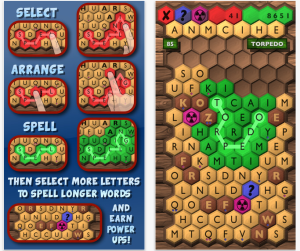
Screen Shot 2015-03-07 at 9.47.50 PMI am trying to stick to as many free apps as possible. However, this is a more-challenging word app. It is great for students who need to have opportunities to really test their mettle. You can rearrange letters to spell longer words. This is the one I find myself playing late at night when I just can't sleep.

A few other word apps of note:

5. Skywords-Free  (Grades 4+): Just like Upwords (a word tile game where you can build on-top of other letters)

6. Word Up Dog-Free (Primary/Junior grades): A puppy digs for new words. Cute.

7. New York Times Crossword - Free (Intermediate/Senior grades)

8. Word to Word - Free (Grades 5+) - Word association game

There are so many other word apps out there. Start with a few and then invite students to add their own suggestions for classroom apps. Remember to leave a comment if you have some others that your students love.

Saturday, March 7, 2015

Student-Tested, Tried and True apps for the classroom…a series

Most educators who have delved into the world of technology in their classrooms have come across the SAMR model.

Screen Shot 2015-03-07 at 9.19.52 PM

The premise of the SAMR model is that apps can be used for Substitution of traditional learning (ebooks can replace paper copies), or they can be used for Augmentation of learning (the enhancements of google search versus looking up something in a library card index), Modification to learning experiences (using PowerPoint to present information), or, at the highest level, for Redefinition of learning (creating an iMovie).

Here is a great post about apps that work with the different SAMR levels from Educational Technology and Mobile Learning.

The only problem is, there are over a million apps out there ( I just googled it, there really ARE over a million apps now). I have spent far-too-many hours perusing, downloading, testing (and deleting) apps to find what works best. Of course, the true test is to use them in the classroom.

I get frequently asked  for app recommendations. Every day I read countless blog posts about Top 10 Apps for….Top 50 Apps for…. you get the drift.

But we know that the typical "50 Apps in 50 Minutes" types of professional development don't really work. As an educator, you still have to spend hours figuring out what will actually be effective in the classroom.

So, rather than rhyming off lists of apps, I have decided to write a series of posts about apps that I have actually used IN MY CLASSROOM and have found to be effective.

Stay tuned...

Tuesday, March 3, 2015

How to use D2L virtual classroom for class meetings


Teenagers  All kids tend to have conflict. As a teacher, I have found that when they hit the intermediate years, many students choose to not report issues that are happening, for a variety of reasons. You know the types of things: food thrown during lunch time, garbage tossed on the floor of the class, "borrowing" pencils and items without asking...

This year, we have started class meetings  and have had a binder to record issues.  Time to bring that notion up to the 21st century!

I created a "Class Meets" discussion forum. Here is how to do it:

1. Click on Discussions in the top bar.

2. Click "New" and then select "New Forum" from the drop down menu.

Screen Shot 2015-03-03 at 6.47.34 AM

3. Give your forum a title. I called mine Class Meets, since that is what our binder version is called.

4. Put in your description.

Screen Shot 2015-03-03 at 6.51.00 AM


I then allow the students the option to post anonymously. You do this by using the checkbox at the bottom. This allows them to bring up an issue without being named. Only the teacher can see who posted it. I also use the check box for moderation of comments. This is to ensure that it doesn't turn into a he-said, she-said blame game on the discussion forum.

5. Since I don't want the discussion just to be about classroom and school problems, I created two topics within my forum. To do this, select the drop down arrow beside your newly created forum name. Select "Add Topic".

Screen Shot 2015-03-03 at 6.56.36 AM

I now have two topics open to discussion. The World Issues discussion is for sharing news and happening, current events if you will. Students are encouraged to include links to news items for others to view.

Screen Shot 2015-03-03 at 6.43.45 AM

We will still have discussions in class meetings in my classroom. Nothing can beat the face-to-face venue. However, some of the more reluctant students can now have their say.

It has already been put to use. A student came to me with an issue that they wanted to bring up on the down-low.  I suggested he/she could post it in the discussion and remain anonymous to classmates and my suggestion was immediately acted upon. Now, I can show the discussion post to start the conversation in our meeting, without the individual student being identified or put on the spot.

Sunday, March 1, 2015

21st Century Intermediate Classroom Makeover - Pilot Project #rdsb21c

It's official.
My classroom is going to be a pilot project in the Rainbow District School Board for a 21st Century Intermediate Classroom.  I am absolutely over-the-moon.

Stage 1: In the beginning - read about where the classroom started.

Stage 2: A reading space - my students created a reading "room" for the class

Stage 3: Coming soon….

The plan is to create a variety of areas for students to maximize our cave, watering hole, campfire and mountain top learning configurations. I am going to bring in cafe tables, standing-height rectangular tables with stools, tables for seated collaboration, floor seating and, of course, technology.  Best of all…. NO MORE DESKS!
[caption width="500" align="alignnone"] Lumisource adjustable acrylic Cafe table[/caption]
[caption width="250" align="alignnone"] Lumisource Swizzle cafe stools[/caption]
 

I know there are going to be many bumps and challenges along the way, but I am excited and rarin' to go.

Stay tuned over the next few months as my learning space undergoes a transformation.


Thursday, February 19, 2015

Grade 7/8 History Inquiry - Nailed It!

Trying to move toward inquiry is something that my students and I have all been struggling with. It is new to half of them (the students that were not with me last year), and something that I am still learning myself. There have definitely been some  many bumps along the way. So much so that I was considering moving away from open inquiry to very structured, guided inquiry with me providing the questions, resources and walking them through every step.

However, I have had a success. I gave it one last-ditch effort with my History curriculum, and somehow, made History matter.

I posed the following question to both grades:

What are the 10 most significant events in Canada's history during your time period?

That was it.

As a class, we created criteria for what made a historical event significant.

Then, I turned them loose.

Each group had to create a timeline of their ten events, and be able to back up their choices. They had to know the 5 w's and be prepared to answer questions from their classmates.

The day before they presented I was worried.  What if they didn't learn anything? What if they just regurgitated dates and places from Wikipedia? I knew that this wasn't entirely the case, as I had pages of anecdotals from listening in as they researched and debated within their groups, but had they retained anything?

Presentation day arrived. As each group got up to present, I became more and more blown away and amazed by what I was hearing.

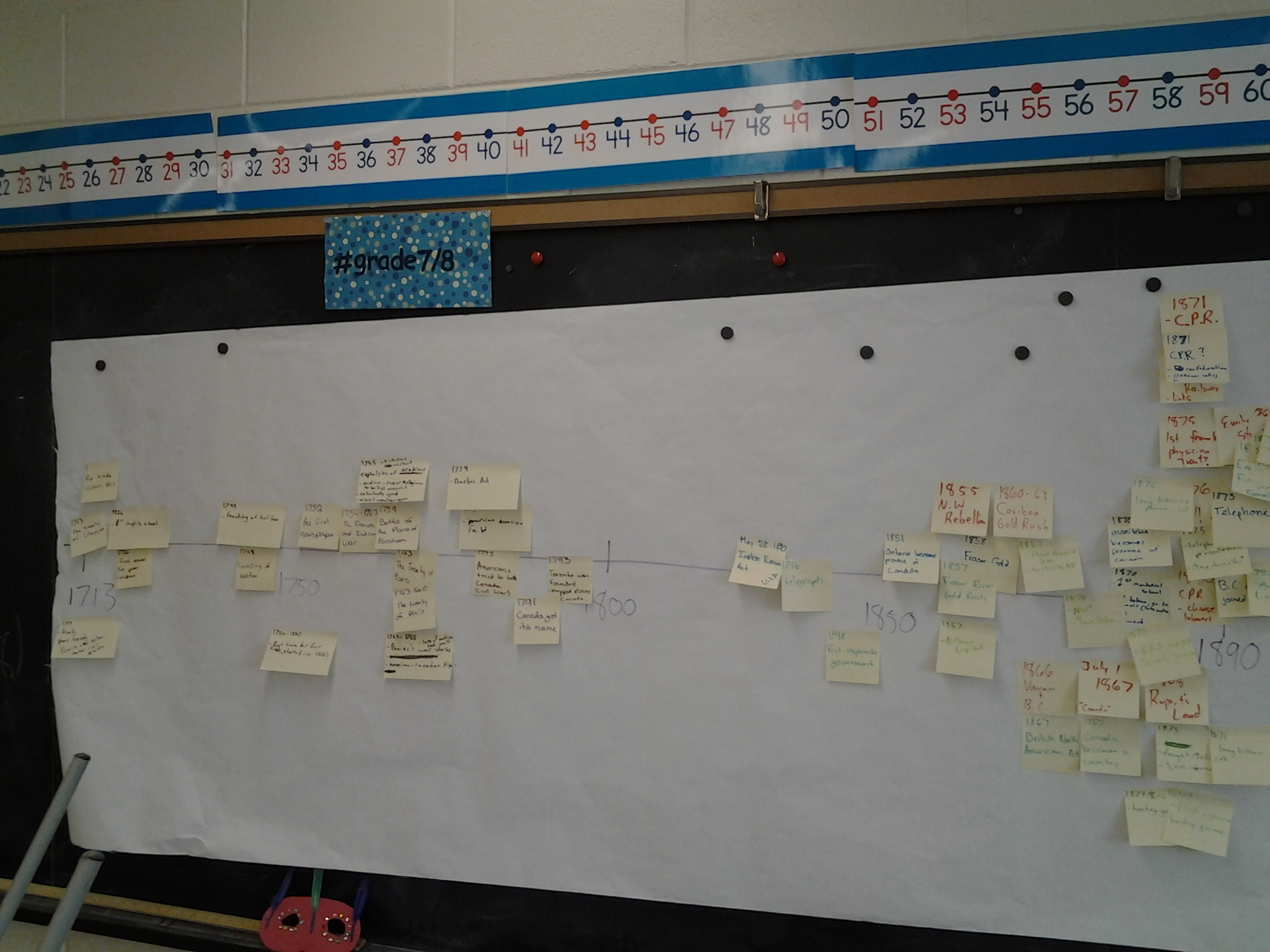
Most groups prepared timelines using a variety of software - the favourite and most user-friendly was voted to be the ReadWriteThink Timeline generator. As each group presented, students added stickies to a paper timeline to compare and contrast the events each group chose.

20150210_104143

They debated the merits of the choices of other groups. "Was the first gold rush or the biggest gold rush more significant?" They asked deep questions. "What would Canada be like today if the Metis had won the rebellion?" They challenged each other. "Are you sure that is the correct date?" They synthesized their learning. "I noticed that during the Grade 7 timeline (1713-1800) there were many wars and rebellions, then during the Grade 8 timeline (1850-1890) the key events were about Canada becoming a country."  They uncovered harsh realities that they knew nothing about. "Why did they have residential schools?" "I can't believe they lasted until 1996!" "This affected people living here? In our community?"

Historical thinking and inquiry. They nailed it!

Wednesday, February 18, 2015

Class Meets: Student voice

Giving my students a voice has been one of my goals this year. Talking circles (such as Brags and Drags) have always been a part of my classroom since I began my career many a few years ago. This year, I decided to add another element to my classroom, and we use "campfire" time to have class meetings. class meets

This is the cover that a student designed for our meeting binder. The quote says "Sometimes you have to see people as a crayon. They might not be your favourite colour, buy you need them to complete the picture."

How awesome.

In the binder, students record any issues that have come up in the classroom and school. When we get together as a class, we then bring up any of the issues that have been recorded, plus others that have arisen.

Two or three mornings a week, I call for a campfire. Students circle up their chairs, making sure everyone is a part of the circle. They are so efficient at this now that it takes under a minute. We begin by passing a speaking object (a feather or a talking stick - which recognizes our Ojibway talking circle roots). The meeting begins with students sharing compliments about others. The only rule for compliments is that it isn't to be something superficial (e.g. "I like Mary's shirt"). Athletic accomplishments, acts of kindness, perseverance... all get recognized here by their peers.

After we do a round of compliments, then we bring up issues. At the beginning of the year, it was like pulling teeth to get people to speak up about problems. They often just simmered in the background. Now, it is much easier to get them to talk. Whoever has an issue shares the problem with the group. If the issue is with a specific student or group of students, then those individuals are required to speak next, and give "their side".  After that, others in the class get to speak up and share their perspective on the conflict, and we get to the next steps.

More often than not, the issue is quickly resolved, there is an apology, and we move on. Sometimes, however, there is a class-wide debate on resolution. Only once or twice this year have I had to step in and give a consequence - and it was only when the issue was big enough to require a referral to the Principal.

Has the class meet solved everything? Of course not - when you have 26 adolescents sharing a small space, there will always be conflict. However, it has greatly diminished the "bystander" effect in class, and given students a forum to speak up and have a voice. They are learning to manage themselves as group much better.

Now, when our Principal needs to address something with my class, she checks to see when our next "class meet" is taking place and she comes and joins our circle. It's amazing to see the dialogue taking place and eliminates the talking-at-students, which adolescents all seem to tune out anyway. I must admit, though, each class meeting I am on tenter-hooks to see if I am going to have to speak to the issue of my workspace. Somehow, my never-used desk has become a storage facility for piles of papers...

Sunday, February 8, 2015

Student learning spaces...from cave to mountaintop


Overhead in my class: "Let's find a watering hole and get to work on this."

Introducing learning spaces to my class was far simpler than I could have ever imagined. In the past, I have always had many conversations and created anchor charts with my class about rules for meeting in small groups, large groups, presentations and assessments.

This year, I introduced these terms, and had a student create artwork to depict them, along with the norms for each. I framed the posters, to show that they are important (and beautiful!). Framing lends credibility and importance to items posted in the classroom. I don't know why, exactly, but it just makes everything more special.

Now, since the posting of our norms, it is as simple as saying the word, and it happens. Furniture gets moved, bodies get organized, learning begins.

IMG_0363The Cave (independent work, assessment, reflection)

  • not disturbing others

  • being on task

  • working quietly


*Currently, this looks like students in our reading nook, corners of the room on the floor, at computer workstations and desks


IMG_0362The Watering Hole (collaborative group work)

  • working as a team

  • listening to others

  • everyone contributes


*Currently, this looks like groups of desks shoved together and bodies crowded around. We have 2 standing desks that groups will crowd around as well

IMG_0361The Campfire (whole class in a circle, talking circles, Brags and Drags, Class Meets)

  • respecting classmates

  • responding to questions

  • active listening

  • don't speak when someone else is speaking


*Currently, this is a circle of chairs with desks shoved aside to make space


IMG_0360The Mountain Top (presentations)

  • respectful audience

  • asking questions

  • giving feedback


*Currently, this involves students moving chairs and facing either the smart board on one wall or the long chalkboard on another wall (BANSHO math)

Currently, I am still dreaming of creating a proper 21st century learning space. When we work in our school library, which has lots of space, carpet, two projector areas, group tables and individual work stations, it is so easy to implement each of the above formations. It looks like a Ministry of Education video with the students at work, engaged and learning.

In the classroom, with our 20th century desks, chairs and cold, tiled floors, it isn't as smooth for transitions, nor as comfortable. Also, I have noticed that it isn't as quiet. There is something about trying to have large adolescent bodies meet around groups of desks that seems to make the noise level sky-rocket.

But when our 20th century-designed classroom catches up with us, we will be ready!