Showing posts with label Student Apps. Show all posts

Monday, November 16, 2015

Another 6 awesome things at our school: Part 3

As I've said before, the best days in administration are the ones where I get to spend time in classrooms. Here are some more amazing things that have been happening in our school. Part 1 post is here, and here is Part 2.

Technology twist to traditional book reports

A student hunted me down at the office the other week to show me her summary of a novel read in the class.  It was a book trailer using iMovie. The glow of accomplishment was so evident on her face, and it was a great way to see her understanding of the themes and ideas of the book.


Visible math

I love walking into classrooms and being able to "read" what is going on by looking at the walls and charts. Open number lines on display help students visualize mental math concepts, and student thinking is evident. When these are posted in the classroom, hesitant learners can refer to these strategies to help. Awesome.


Hands-on learning

Students were constructing water treatment models that made the dirtiest water look drinkable. Another class was making models of water and local landforms. Activities like these bring learning to life. No one gets excited over worksheets, but making and doing engages students.

Students as Leaders

Our students led our community Remembrance Day service and it was amazing. They produced videos, artwork, and even greeted and welcomed parents and veterans at the door. A powerful learning opportunity and a meaningful and memorable day. 

Bringing Languages to Life

It is wonderful to see students having mock interviews and conversations in French (complete with costumes and props). A fun way to practice language skills. Our Ojibway students have been utilizing technology to research the past to help them better understand the present of the culture and language. Posted anchor charts even allowed ME to write a sentence in the Ojibway language (with a little help from some students of course).

Stop Motion Animation

This tool has had a major impact on the engagement level of many students in our school. Limited only by their imaginations, students have used Lego, plasticine and even erasers to tell their stories, one frame at a time.

I was originally only planning to do only 3 posts, but I realize that I am constantly seeing new and exciting things happening in our school. There will definitely be more to share.

Sunday, March 22, 2015

10 Classroom-tested apps (Part 2): Traits of Writing apps #rdsb21c

"Writing" in the 21st century looks a lot different than when I was in school.  It used to be that if you could draft correct sentences with flawless spelling, you would receive great marks in Writing.

As educators today, we now know that writing entails many more things than just basic conventions. Here is a list of the apps I use in my classroom t with the 6 + 1 traits of writing: Ideas, Word Choice, Sentence Fluency, Organization, Voice, Conventions + Presentation.

These apps are appropriate for Junior/Intermediate level students.  I have included only apps that are free (though many have in-app purchases) because I have no budget for app purchases and need to make do with the free stuff.

1.  Dictionary.com (Word Choice, Conventions)


This is a Dictionary and a Thesaurus app. It is definitely the most-used writing app in my classroom.  It is my go-to when my students happen to stump me on the spelling of a multi-syllabic and obscure word - not often, but it does happen from time-to-time!  There are in-app purchases available, which will also make the ads go away, but we haven't found them to be necessary.

The best tool is the microphone which will allow students to speak the word (great for students who have great difficulty with spelling and don't know how to begin to spell the word).

Second best is the pronunciation feature, which can be accessed by simply pressing the speaker image next to the word.


2. Mindomo (Ideas)


A mind-mapping tool that is terrific for idea planning. It is also supported by the Ministry of Education as an online web-based tool.


3.  Popplet (Ideas)


Very similar to Mindomo, but with fewer features.  I have several students who prefer this one because of its simplicity.


4. Sock Puppets (Voice)


This app lets you tell your story from the point of view of the puppet characters. You can record your voice and the app will automatically sync your voice to the movement of the puppets mouth.

Seem too silly for junior/intermediate students?  No.
Why? Because this app will change the students voices so that those who are uncomfortable with playing their own voice back need no longer worry. In my class, hearing their voice is a HUGE DEAL and no one wants to do it.  This allows even the most reluctant students to participate.


5. Puppet Pals 2 (Voice)


Very similar to Sock Puppets, this app has more features for the puppets, such as the ability to move their limbs and move around the more complex story settings.  However, the voice recordings are the actual student voices, so it doesn't allow for the shy students to hide behind a funny, puppet-sounding voice.


6. Book Creator (all traits)


I have been on the hunt for an app that will do what iBooks author will do - and this is the closest that I have found (for free). This is one app where I am considering purchasing the full app, since there are many more features and options available such as multiple books. Books can be published in a variety of ways, including to iTunes.


7. Google Docs (all traits)


 I just included this as a reminder to teachers that is it available as an app. It has basic functionality and allows for collaboration. Make sure you have it downloaded onto your iPads.


8. Dragon Dictation (sentence fluency, speech-to-text tool)


Students don't need to be held back by their inability to type efficiently or spell. This is a quick and efficient ways for students to write.

The only caveat is that students who do not speak clearly may find it more frustrating due to the garbled text that will come up.  It takes off the pressure on the teacher if there are many students in a classroom who require scribing.


9. Bitstrips (Organization, Presentation)


I have used Bitstripsforschools.com for several years, since it is available free for Ontario teachers. The app form has fewer features, but students can use it to tell their story.

 I find that comic tools are a great way for reluctant and struggling writers to share their writing. It is also a great way to organize thinking in sequential order. No drawing ability is needed to present a great piece of writing in comic strip format!


10. Toontastic (Organization, Presentation)


This is a new-to-me app that has a lot of great FREE stuff.  It helps students organize their writing through a series of prompts including
 Setup, Conflict, Challenge, Climax and Resolution.  It can be a final piece, or can be used as a planner for lengthier, more complex writing in traditional form.  A great differentiation tool!


If you have any other great apps for writing, please be sure to add them to the comments.


ETA:

After I wrote this post, I came across  a fantastic collection of writing apps to teach the traits  from We Are Teachers (and here I thought I was being original!!!).

Many of the apps are paid, but if you actually have some budget $$ they may be worth checking out.


Sunday, March 8, 2015

Classroom-tested apps (Part 1): Working with Words

Word work is an area that I find is often overlooked in classrooms. I think that it should be an integral part of daily programming,  in my humble opinion, so that students can build vocabulary and help them to develop the important 21st century skills of the 4 C's : "Communication".

Disclaimer: I am a self-proclaimed word nerd so maybe my opinion doesn't really count ;-)

I have many classroom games and activities that I use with words that are collaborative (think team competitions), active (word race or word snowball war, anyone?) and just plain fun (whole class, giant scrabble game on The Learning Carpet).

Technology and apps can bring another level of fun to classroom word play, and help to mix up the learning activities and further challenge students.

I have worked in Junior and Intermediate (grades 4 to 8) since our school got iPads, and most of my experience is with apps for grades 4 and up. However, my own children are in grades 1 and 3 so I do have some first-hand knowledge of what the interests and capabilities are of primary students with technology.

Here is a small list to get you started using word games and technology together in your classroom. Please be sure to add your favourite classroom-tested apps in the comments (or ones that you, yourself find to be really, really awesome).

1. Chicktionary - Free          Ipad/iPhone

Grades 3+

Screen Shot 2015-03-07 at 9.44.13 PM

This is my favourite word app, hands-down.  Challenging enough for adults with English degrees, yet accessible to even primary students who are developing their vocabulary, this game is also just fun.  The egg-laying chicken graphics are cute, and with 3 modes of play, you will never get bored. This was one of the first apps we ever used when we first got our school iPads four years ago, and it is still a favourite with the students.

2. Words with Friends - Free iPhone/iPad

Grades 4+

Screen Shot 2015-03-07 at 9.52.04 PM

This is a Scrabble-like game that has become popular through Facebook. I have just begun to use this app in my classroom. It can be used for solo word play, or you can connect with others.  Due to the interactive nature of the game, I am limiting the interactive part, for the time being, to having a whole-class competition against other classes in the school and from other schools. There is a chat feature that you will need to monitor if you open it up to students and allow them to play against unknown opponents.

Want to challenge us? Leave me a comment and I will get in touch with my username so my class can battle with words.

3. PopWords - Free - Iphone/iPad

Grades 3+

Screen Shot 2015-03-07 at 10.09.15 PM

Similar to Boggle, easy to play and lots of fun. Sometimes I put it up on the SmartBoard and have students use the same grid, write their words on paper and challenge other teams within the classroom.

4. Spell Collapse - $2.29  iPad/iPhone

Grades 4+

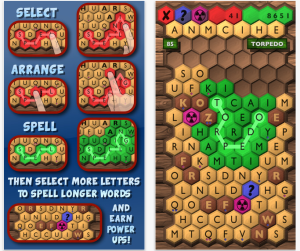
Screen Shot 2015-03-07 at 9.47.50 PMI am trying to stick to as many free apps as possible. However, this is a more-challenging word app. It is great for students who need to have opportunities to really test their mettle. You can rearrange letters to spell longer words. This is the one I find myself playing late at night when I just can't sleep.

A few other word apps of note:

5. Skywords-Free  (Grades 4+): Just like Upwords (a word tile game where you can build on-top of other letters)

6. Word Up Dog-Free (Primary/Junior grades): A puppy digs for new words. Cute.

7. New York Times Crossword - Free (Intermediate/Senior grades)

8. Word to Word - Free (Grades 5+) - Word association game

There are so many other word apps out there. Start with a few and then invite students to add their own suggestions for classroom apps. Remember to leave a comment if you have some others that your students love.